
Layer 1 · Hardware
The gateway that reads your meters
EasySense Link reads M-Bus and wM-Bus from all meter types and makes the data available via Modbus TCP, MQTT or EasySense Connect.
EasySense Link reads M-Bus and wM-Bus from all meter types and makes the data available via Modbus TCP, MQTT or EasySense Connect.
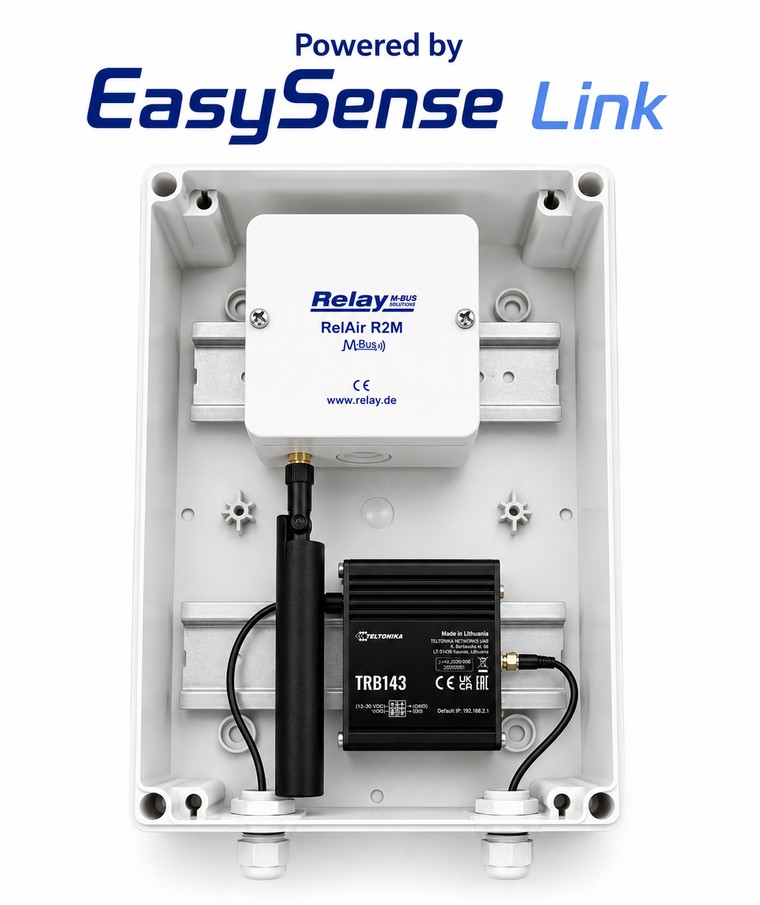
Link scans and reads your meters automatically and translates M-Bus and wM-Bus telegrams into data your systems can use. One installation can read up to 50 meters.
EasySense Link is a software package compatible with, and easily installed on, the industrial Teltonika TRB143 hardware — robust and built for 24/7 operation. For wireless meters it is combined with the Relay RelAir R2M gateway.
Link speaks both classic wired M-Bus and wireless wM-Bus in all common modes, with both primary and secondary addressing.
Link can deliver data exactly as your system needs it. Same box, same reading — different outputs.
Link scans all meters and exposes them as Modbus TCP registers directly to your BMS controller. No cloud required.
Link sends data via MQTT to the customer’s own broker and platform. Connect is not required — full flexibility and control over your data.
Link sends via MQTT to EasySense Connect, which collects data, runs analytics and exposes everything via REST API to portals and Power BI.
Link is easily configured and then reads automatically at your chosen interval.
Automatically find all connected meters on the bus.
Choose how often meters are read and reported.
Load encryption keys for secure wM-Bus meters.
Decide exactly which wireless meters are read.
Choose S-, C- or T-mode depending on your meters.
Meter replacement is done quickly and easily in one place.
Contact us for a chat about your setup — we help you find the right combination of setup and license.
Tell us about your metering challenge — we reply within three business days.
info@easysense.dk →Modbus TCP and MQTT format — ask about integrating with your system.
Write to us →See how Link connects your meters to a Trend BMS over Modbus TCP — flow, setup and package options.
View the Trend BMS guide →Configure your Link license and buy right away — with or without hardware.
Go to the shop →